 Stampario
Finish the report before you leave the driveway.
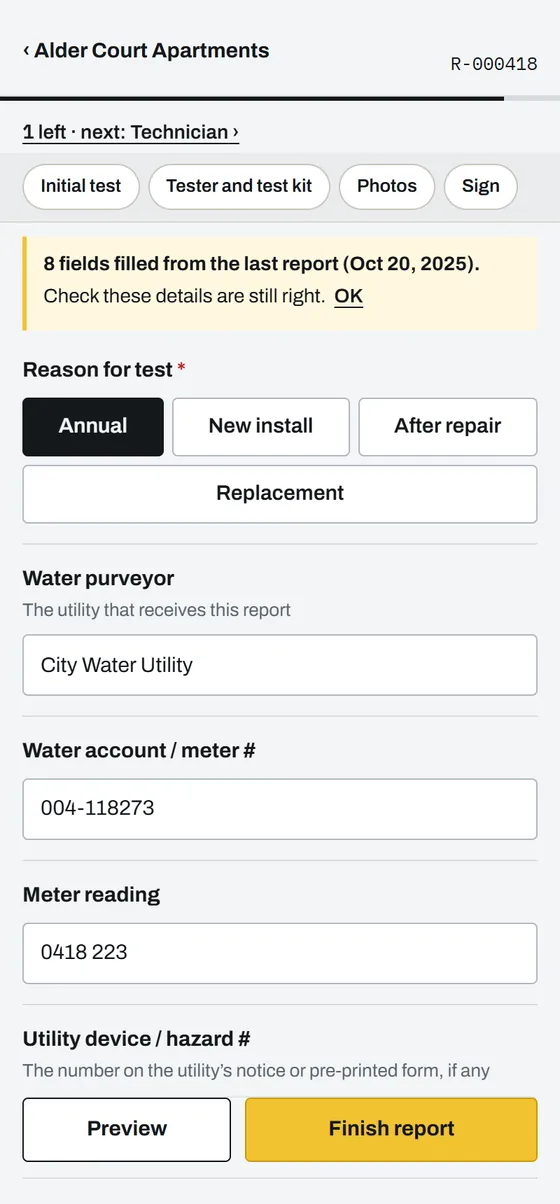
Fill it on your phone, get the customer’s signature and send a PDF with your logo on the spot. Every visit stays with the address, so next time you know exactly what you did there.
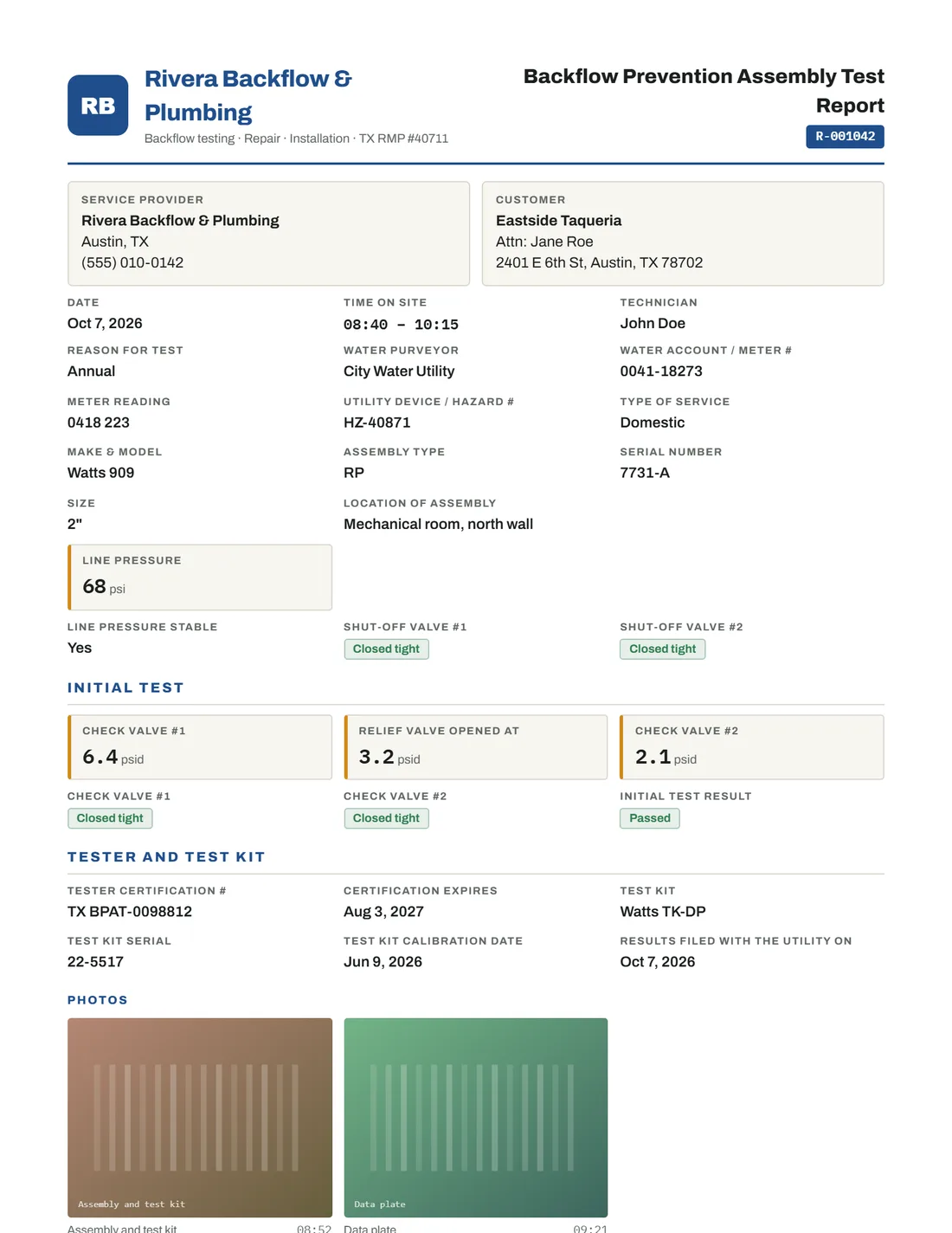
PDF · 1 page · signed
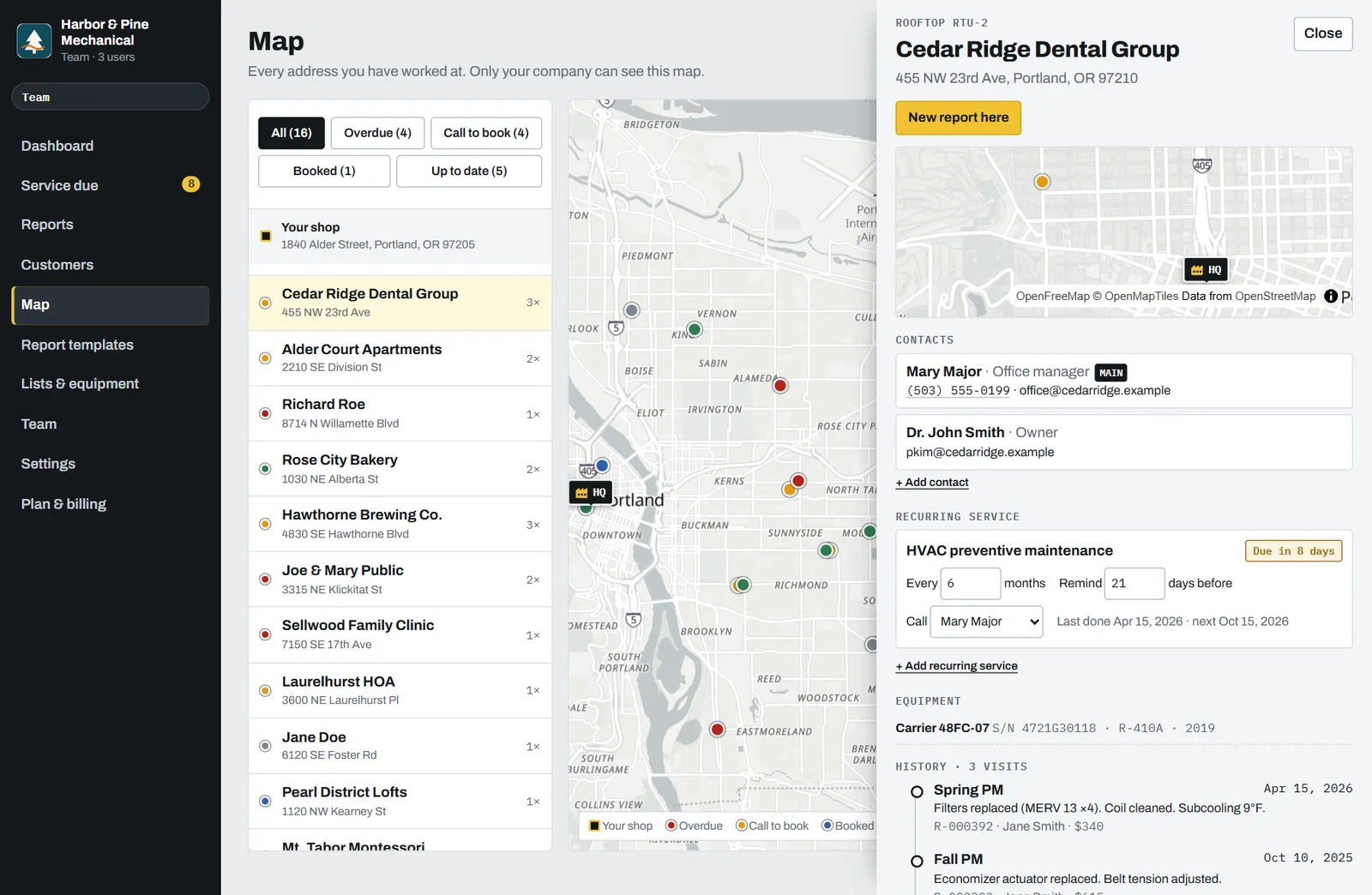
Tap a pin, see every visit
Every address you’ve worked at, around your shop, colored by when it’s due. Tap one and its whole history opens: past reports, equipment with serial numbers, open findings and who to call. Private to your company.
Starts with the report your trade already fills out
Each trade gets its own template, parts and product lists, equipment fields and service cycle. Change anything after sign-up.
The report is done when the work is done
Fill it on site
Tap through the checklist, enter readings, snap photos. Parts and products come from your own lists, so there is little to type.
Sign on the phone
The customer signs on screen. Your signature, license number and company stamp go on the report.
Send before you leave
Email it, text it or download the PDF. The visit is filed under the address with its photos and readings.
“You’ve been here before”
Open an address and see every visit, every unit with its serial and refrigerant, and the findings you never got around to quoting. New techs walk in knowing what the last one did.
- All equipment per address, with its own history
- Open findings stay visible until you act on them
- Search by customer, address or report number
Know who to call this week
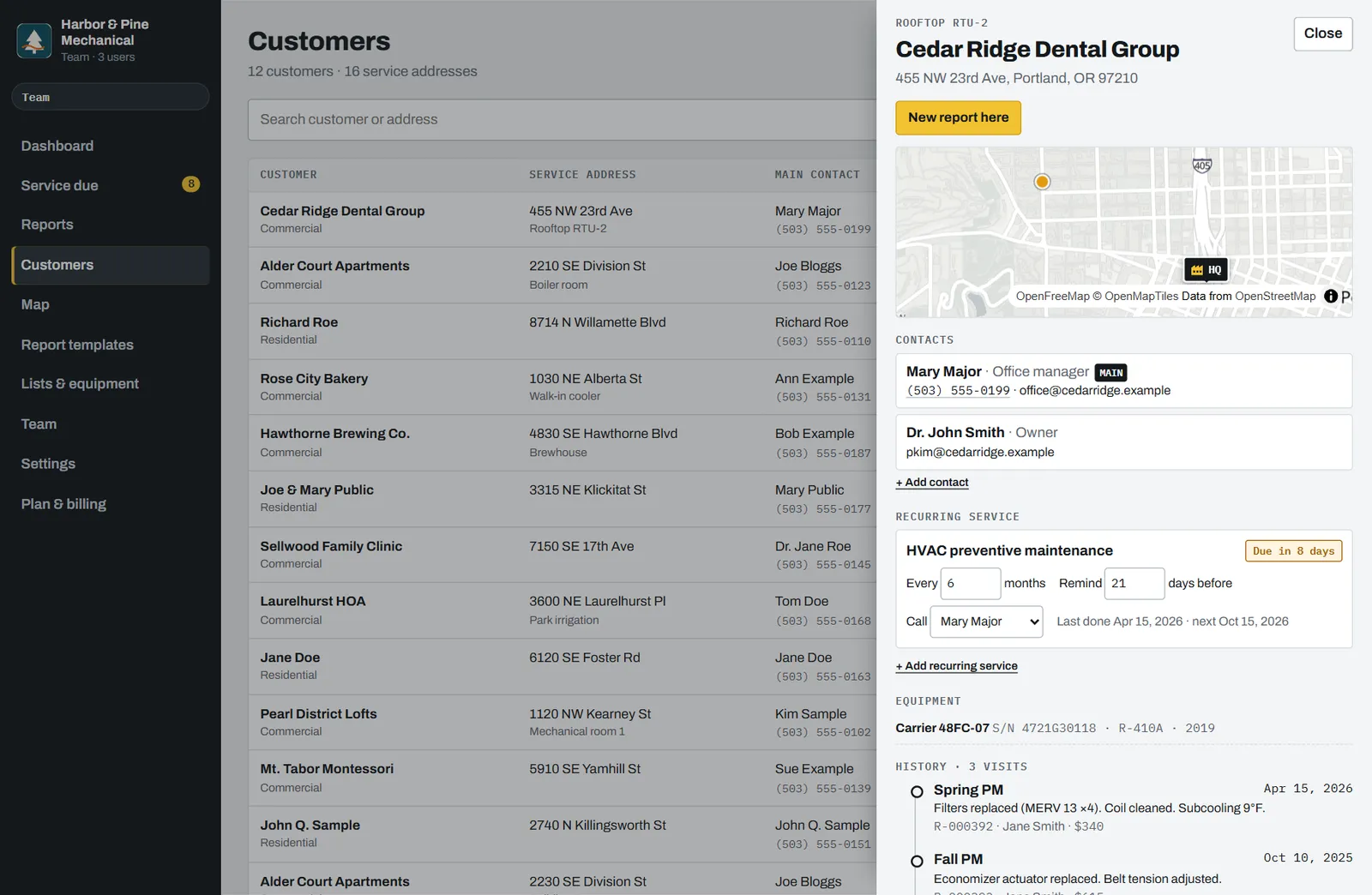
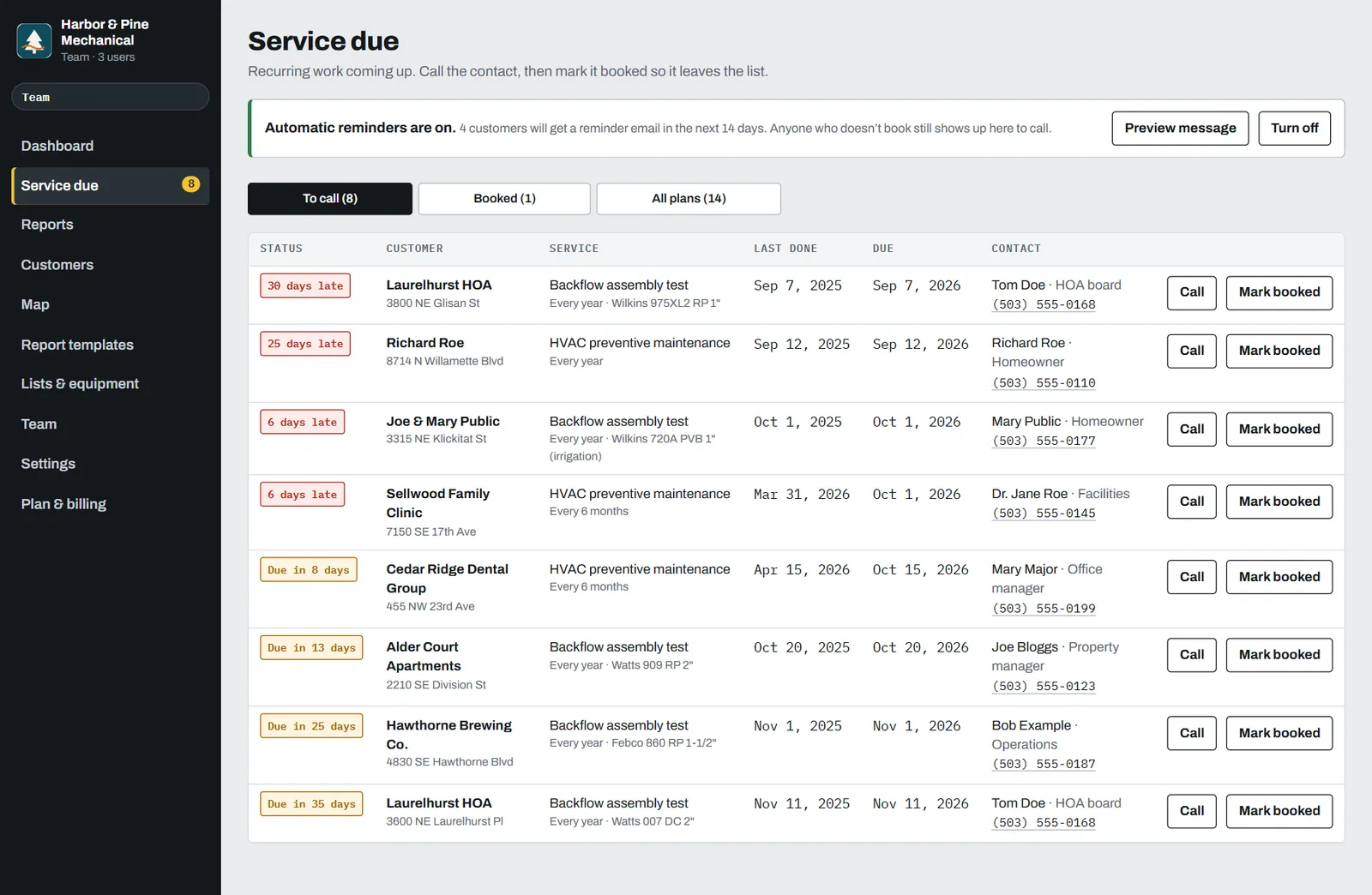
Annual backflow tests, maintenance agreements, quarterly pest service, hood cleaning cycles. Set the cycle once, and the call list shows who is due, who is late and the number to call.
- Default cycles per trade, changeable per customer
- Reminder before the due date, not after
- Mark booked and it leaves the list
Tap instead of type
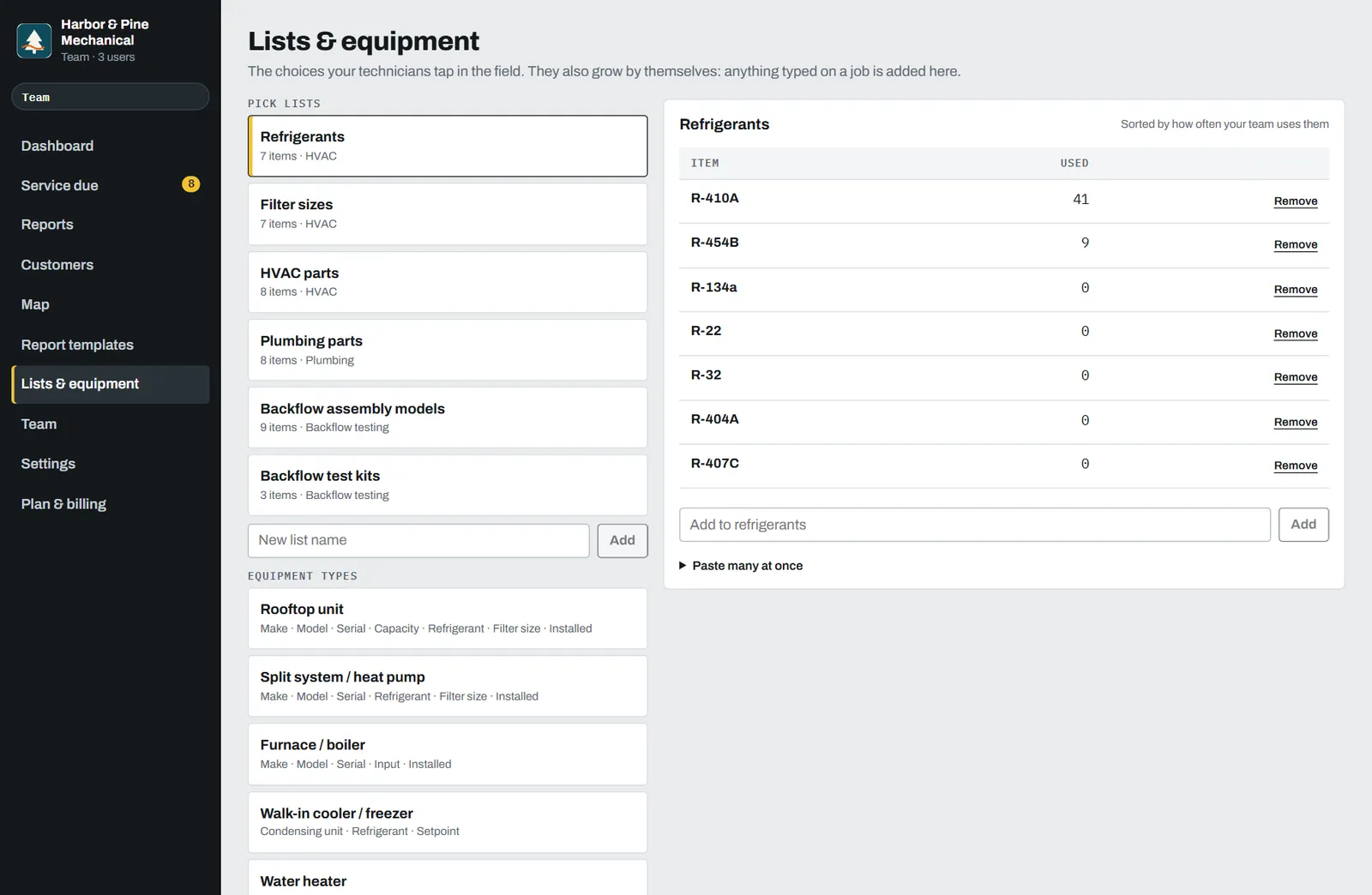
Parts, products, assembly models, refrigerants. Start from your trade’s list, paste your own from a spreadsheet, or just type on jobs. New items are saved, and the ones you use most move to the top. Pick a pest product and its EPA number fills itself.
Keep your scheduling and invoicing
You don’t have to move off Jobber, Housecall Pro or ServiceTitan. Use Stampario for the part those tools make hard: a report worth handing to a customer, and a record of every visit at every address. Solo? It works on its own too.
- Your logo, colors, license number and company stamp
- Photos with captions and times
- Readings with their units: psid, psi, °F, amps
- Technician and customer signatures
- A report number and a file name you can find later
Free to start. $29 when it’s paying for itself.
Branding is on every plan. Paid plans add unlimited reports, automatic reminders that bring customers back, and people. Compare plans
Try it on real jobs.
- 5 reports a month
- Your logo and a company stamp on every report
- Full history at every address
- Customer map and service-due call list
For a technician who works alone.
- Unlimited reports
- Automatic reminder emails that bring customers back
- Your own email address and stamp
- No “Sent with” line on your PDFs
3 people included, $15 per extra person.
- Everything in Pro
- 3 field technicians included, $15 per extra
- Office staff are free
- Technicians never see amounts
Every account gets 14 days of Pro, starting with your first report. No card to start, no contract, cancel any time. Prices in USD.
Before you sign up
Do I have to replace Jobber, Housecall Pro or ServiceTitan?
No. Keep scheduling and invoicing where they are. This handles the report your customer gets, the history at each address and reminders for recurring work.
Does my customer need an app?
No. They sign on your phone and get a PDF by email. You can also download the PDF or share it by text.
Can I use my own checklist?
Yes. Start from your trade’s template, switch off what you don’t do and add your own items, lists and equipment types.
What happens to my data?
It is private to your company. Customer addresses, photos and amounts are never shown publicly, and you can export or delete your data.
What does it cost?
Free for 5 reports a month. Pro is $29 a month ($24 billed yearly) for unlimited reports and automatic reminder emails. Team is $69 a month for 3 field technicians. Every account gets 14 days of Pro, starting with the first report.
Send your next report from the job site
Free for 5 reports a month. No card. Your logo on every PDF from the first one.